或是自备挖煤神器一个
http://www.mobile01.com/topicdetail.php?f=568&t=2188818&r=2&p=6
.Reason
- To find rooting and define it as Out Of Warranty.
Instruction
- When you receive the phone for repair, check if the phone has history of rooting.
Refer to below procedure to check rooting.
※ If phone has rooting history, it is Out Of Warranty.
1) Press and hold Volume down + Home + Power key to enter download mode.
2) Phone will show Warning Screen about downloading custom OS.

3) Press Volume up key to continue
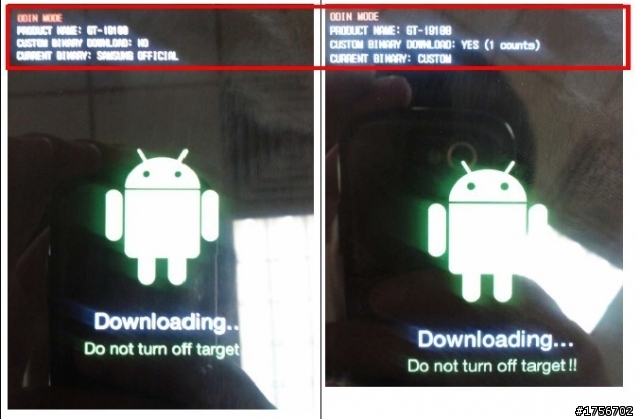
4) Then the phone enters download mode and shows binary information.
(1)
PRODUCT NAME : It shows phone’s model name.
(2) CUSTOM BINARY DOWNLOAD : It shows if Custom Binary (Non-Official)
has been downloaded.
※ If phone shows ‘YES’, it has rooting history and Out Of Warranty.
(3) CURRENT BINARY : It shows if current binary is Samsung official or not.